



Top 5 Recommended Crowdsourced Geospatial Data Editing Tools from HOT’s Conflict & Displacement Program
April 8, 2026
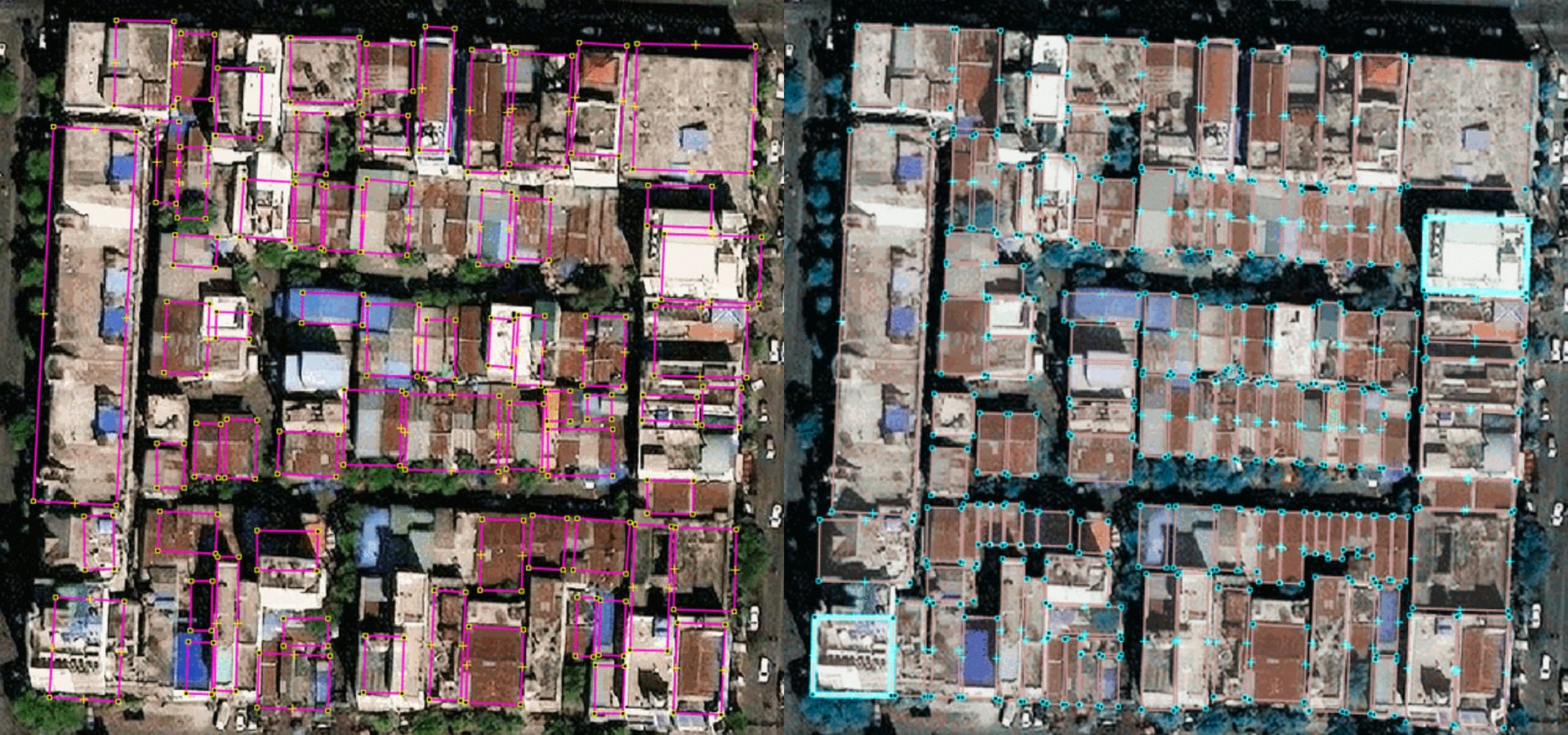
OpenStreetMap (OSM) is one of the most common geospatial data sources for humanitarian mapping and GIS/remote sensing analysis thanks to its openness and near-global coverage. Built through crowdsourced contributions, OSM’s open geodatabase works best for relatively static features like roads, building footprints, and place names. Data is easily accessed through the Humanitarian OpenStreetMap Team (HOT)’s HDX pages and Export Tool.
Geospatial data is never truly static, though, and OSM is no exception. Updates and corrections to OSM data are often needed to make the data useful for humanitarians. Recent humanitarian data needs addressed through OSM include:
- Filling gaps in buildings and roads in places like Gaza, Lebanon, and Myanmar.
- Parsing bilingual names of roads and populated places in Sudan.
- Identifying the location and type of infrastructure, such as health and education facilities, in Lebanon and Sudan.
In addition, geospatial crowdsourcing tools can also meet non-OSM data needs, like identifying trends, mapping neighbourhood boundaries, or detecting change in dynamic humanitarian contexts such as damage or migration. To help humanitarians get the data they need, there are several crowdsourced data tech tools.
Below are five recommended common data editing tools used in HOT’s Conflict & Displacement Program.
Tasking Manager (OSM)
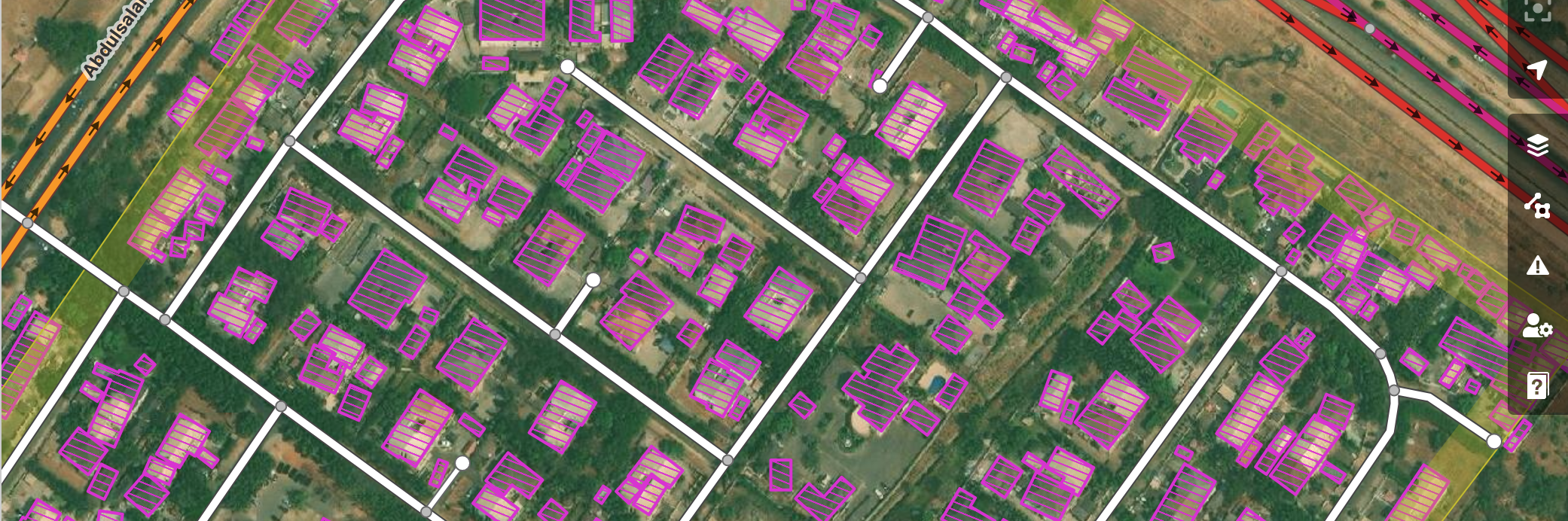
Tasking Manager coordinates OpenStreetMap crowdsourced edits to map or digitize buildings, roads, waterways, and other features visible on aerial imagery in a geographic and thematic area of interest. Each OSM contributor is assigned a grid cell to complete based on instructions.
Global volunteers support high-priority disaster response work, and other work is completed through dedicated OSM contributor communities.
What to use it for: Fill spatial data gaps identifiable through aerial imagery interpretation, such as buildings and roads. Work with OSM experts for guidance.
Data use case examples:
- Gaza Buildings: In 5 months, global volunteers added 59K+ new buildings and made 460,000+ edits to improve the buildings dataset in Gaza for better damage tracking with machine learning. See also the OSM Wiki for Gaza Project.
- Sudan Roads: Sponsored by the H2H Network, OSM contributors added 12,495 km of roads in Sudan to improve humanitarian logistics. See also the OSM Wiki for Sudan Project.
How to get started:
- As an organization creating a project: See Learn to Manage Tasking Manager projects.
- As a new individual contributor to OSM: See Learn to Map.
- As an expert OSM contributor: See Learn to Validate.
Who are the crowdsourcers: Unless it is a high-profile disaster response, volunteer time is limited, so targeted volunteers such as youth groups or sponsored OSM fellows are highly recommended.
Host organization: HOTOSM
MapSwipe
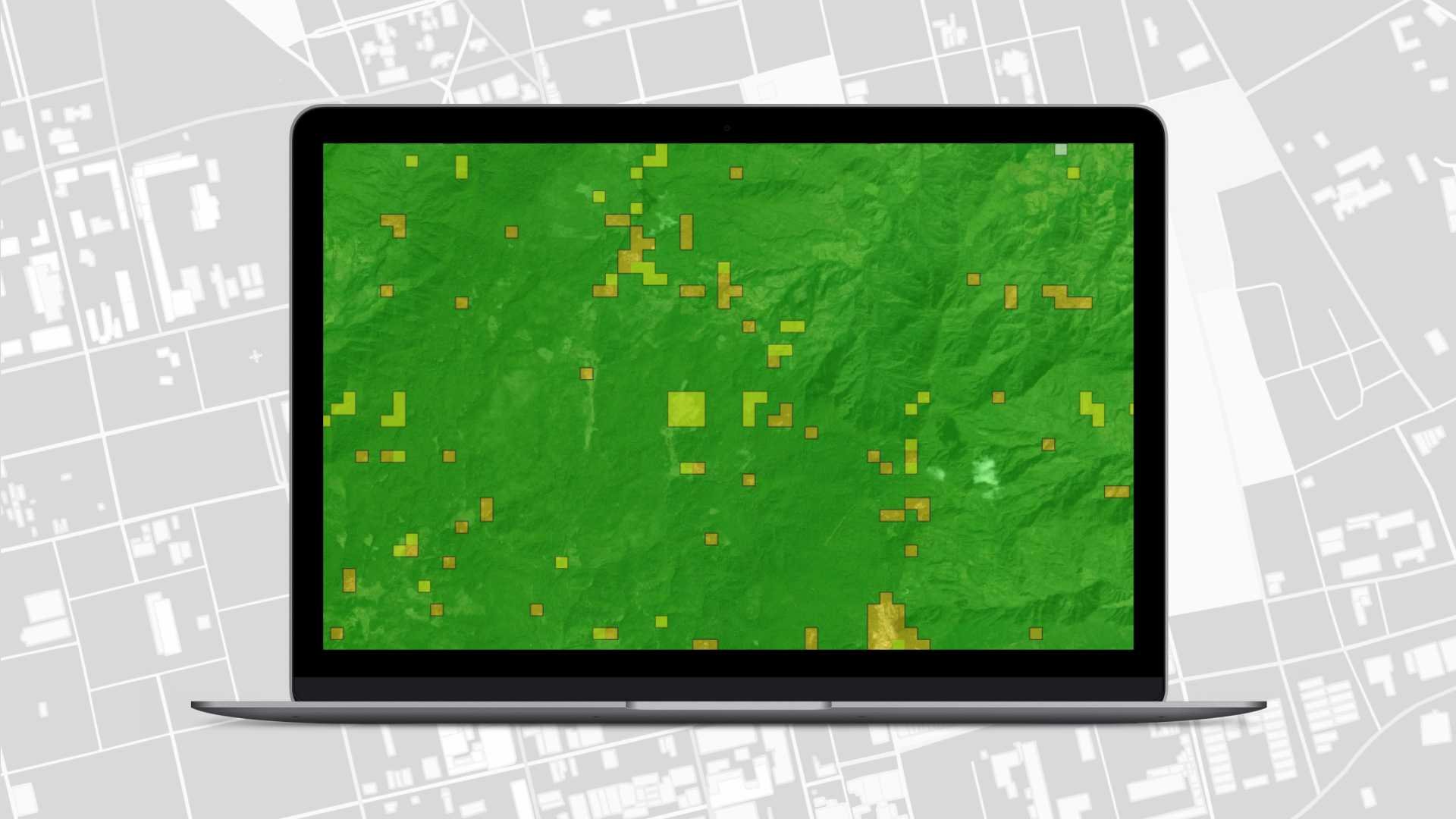
MapSwipe crowdsources consensus review of imagery by image grid cell. You can pose a question to volunteers that is answerable by visible inspection of true-color aerial imagery, such as:
- Are there buildings or another feature, such as water bodies, present?
- Is the OSM data visible in a location still current compared to the imagery?
- Has there been a change between two aerial images, such as new buildings or visible damage?
Volunteers review an aerial imagery grid and answer the question as they see it. Each grid cell can be reviewed by multiple crowdsourcers, building a consensus or vector heat map. The resulting dataset is a grid of confidence levels by grid cell for a given question and area of interest.
What to use it for: Fast review of an area to identify the presence of something, detect change, or review existing OSM data.
Data use case examples:
- Find Buildings - Jezzine District, Lebanon: Identified buildings in rural areas affected by conflict in 2024 for further detailed mapping in OSM with Tasking Manager.
- Detect Damaged Buildings - Earthquake Response - Myanmar: Identified newly damaged buildings by the earthquake in March 2025.
How to get started: Check out MapSwipe’s Getting Started page for links to volunteer, host a MapSwipe event, and request support in creating a MapSwipe campaign as an organization.
Who are the crowdsourcers: As MapSwipe is the most accessible application listed here, many public projects can be completed through corporate social responsibility campaigns, although focused mapathons and communication campaigns are recommended.
Host organization: Missing Maps
MapRoulette
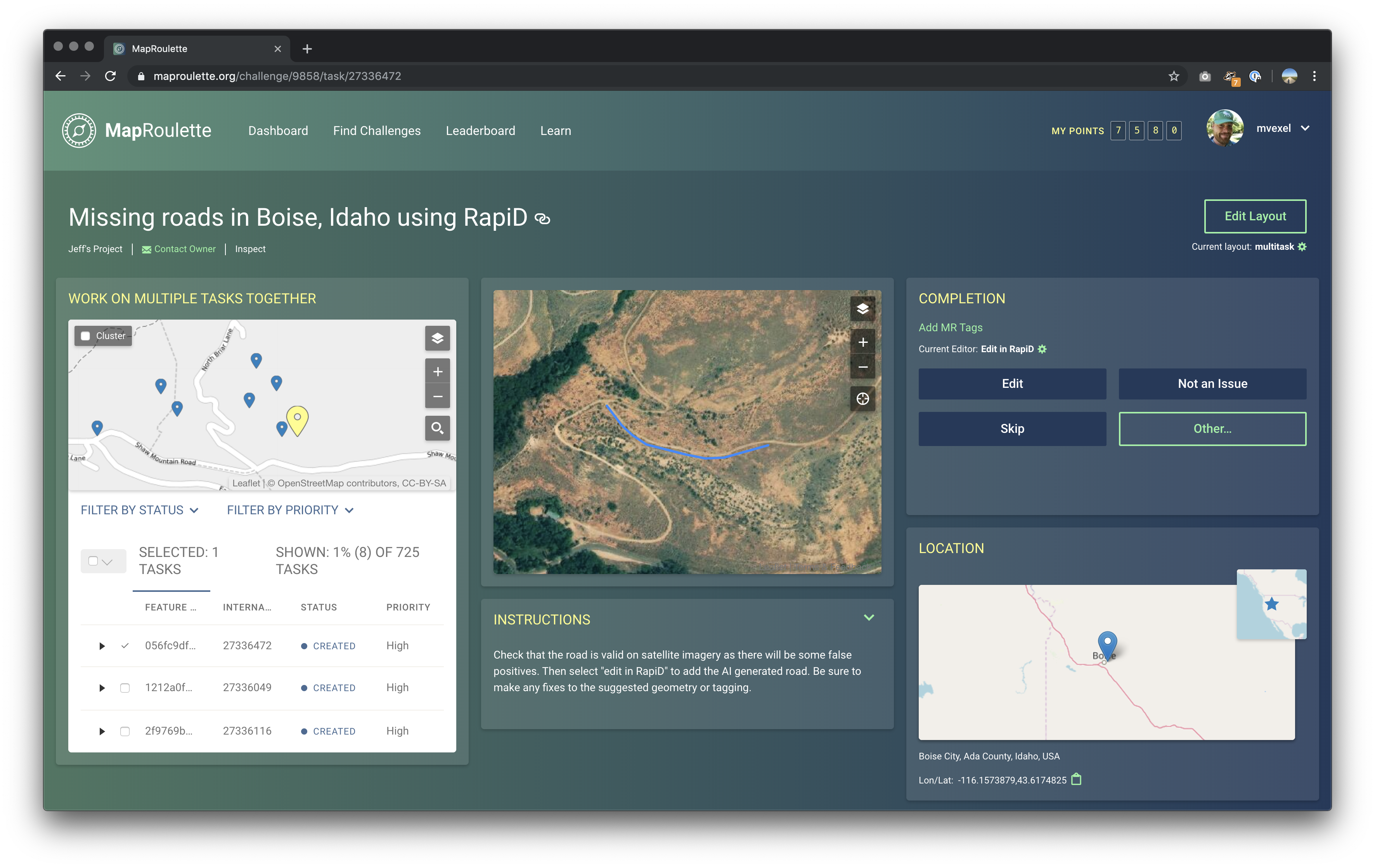
MapRoulette coordinates targeted data improvements to OSM. It assigns a user a randomized feature with an identified issue, with clear instructions on how to correct it in OSM.
What to use it for: Improve a specific thing in OSM with very clear instructions for more advanced edits. Each data improvement campaign is very specific, such as correcting geometry of roads or buildings, correcting overlapping features, adding missing cultural site names or types, or translating tags into multiple languages.
Data use case examples:
- Sudan road and hospital name translation from Arabic to English for bilingual humanitarian coordination maps. See the campaign (account required).
Who are the crowdsourcers: Depends on the knowledge needed. It is best to hold targeted mapathons or ask invested OSM groups to lead completion and raise awareness.
Host organization: OSM US
ChatMap
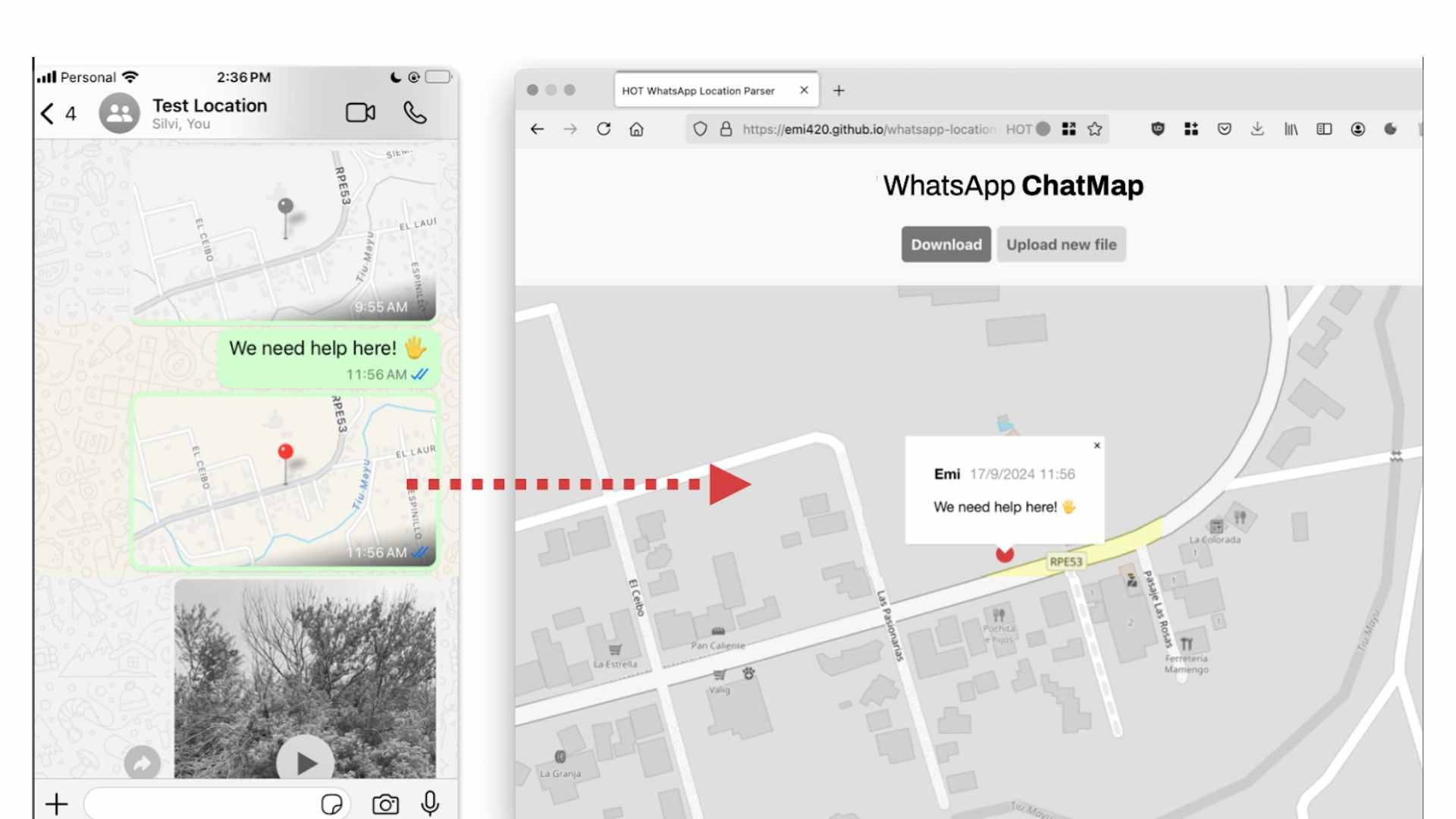
ChatMap converts locations, images, videos, audio, or text shared in a group chat, such as WhatsApp, Telegram, or Signal, into a map or geospatial data file.
What to use it for: Secure, organized ground reports. It can be used for conditions best seen at eye level rather than from aerial imagery, including flooding, damage, and the functioning status of infrastructure.
Due to access restraints in conflict zones, use of ChatMap is only recommended for stable or early recovery measures.
Who are the crowdsourcers: Existing coordination groups or other defined groups performing humanitarian or logistics work.
Data use case examples:
- Volcano evacuation routes and monitoring: summary uMap of data collected via ChatMap.
- World Cleanup Day with UNICEF-Yoma: summary uMap.
- Damage assessment during Melissa: summary uMap.
Host organization: HOTOSM
OSM Sandbox
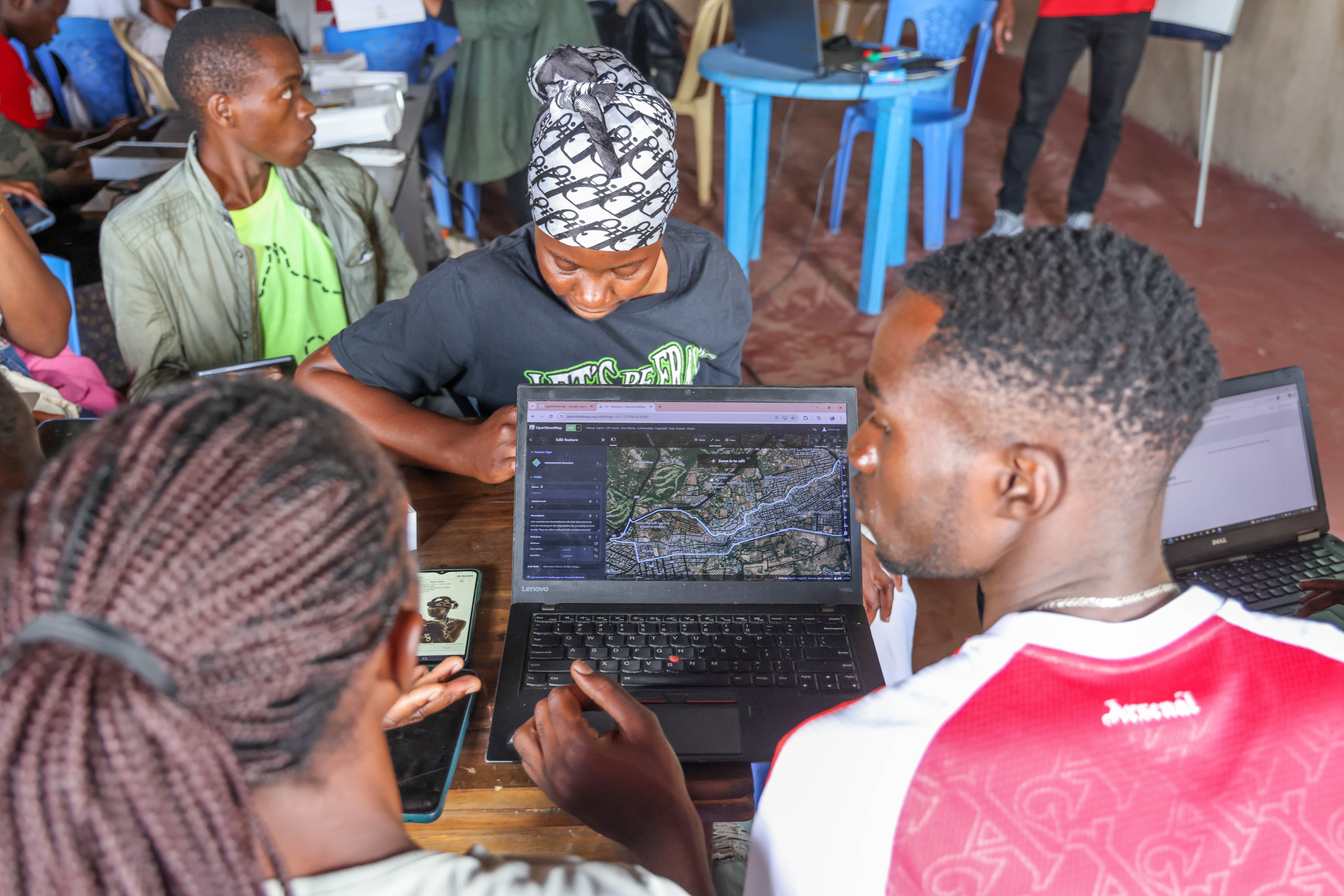
HOT’s newest tool, the OSM Sandbox, allows crowdsourcing efforts in Tasking Manager and other tools such as ID editor or JOSM, with one exception: the data is privately hosted with an identical structure and format to OSM.
What to use it for: Data that could still fit in OSM’s structure, but is: - Too sensitive to ever be public. - Sensitive for the time being, but possible to share eventually in OSM. - Limited by licensing, allowing custom imagery and different data-sharing permissions than OSM.
Data use case examples:
- Mapping displacement camp shelters that are sensitive or expected to change often.
- Controlled user edits, such as camp boundaries with limited edit access to UNHCR staff, or archaeological site locations limited to local authoritative actors.
- Mapping damage visible on satellite imagery that is not openly licensed, but still sharable to humanitarian partners.
How to get started: Contact tech-data@hotosm.org.
Who are the crowdsourcers: A known group of approved users, either within an organization or among vetted and trained OSM contributors.
Host organization: HOTOSM
Moving forward with AI
Traditionally, crowdsourced edits in OSM and elsewhere were very manual. Advancements in ML and AI have changed that, but there is still a role for crowdsourcing: humans can still spot patterns better than a computer. Therefore, training datasets for digitizing buildings or identifying change, such as damage, can be done using the tools above. HOT’s Conflict & Displacement Program is working with scientific experts to help train AI models, with humans in the loop in conflict and displacement settings.
Help the humanitarian GIS community improve open geospatial data.
I hope this list inspires your next humanitarian data analysis to go beyond a static OSM download and instead engage with building the data you need, or giving back to OSM through already planned data campaigns.
Questions? Partnership ideas? Data you want to help improve? We’d love to hear from you at data@hotosm.org.
Share